
Trader-watch
Keep track of trader restock timers.
Read the countdowns from Tarkov’s Trading screen, choose the traders you want to watch and get a reminder when a timer ends.
Sync visible countdowns or enter one manually.
Choose a popup, a sound or both.
Windows setup & requirementsStart with the timers in your game.
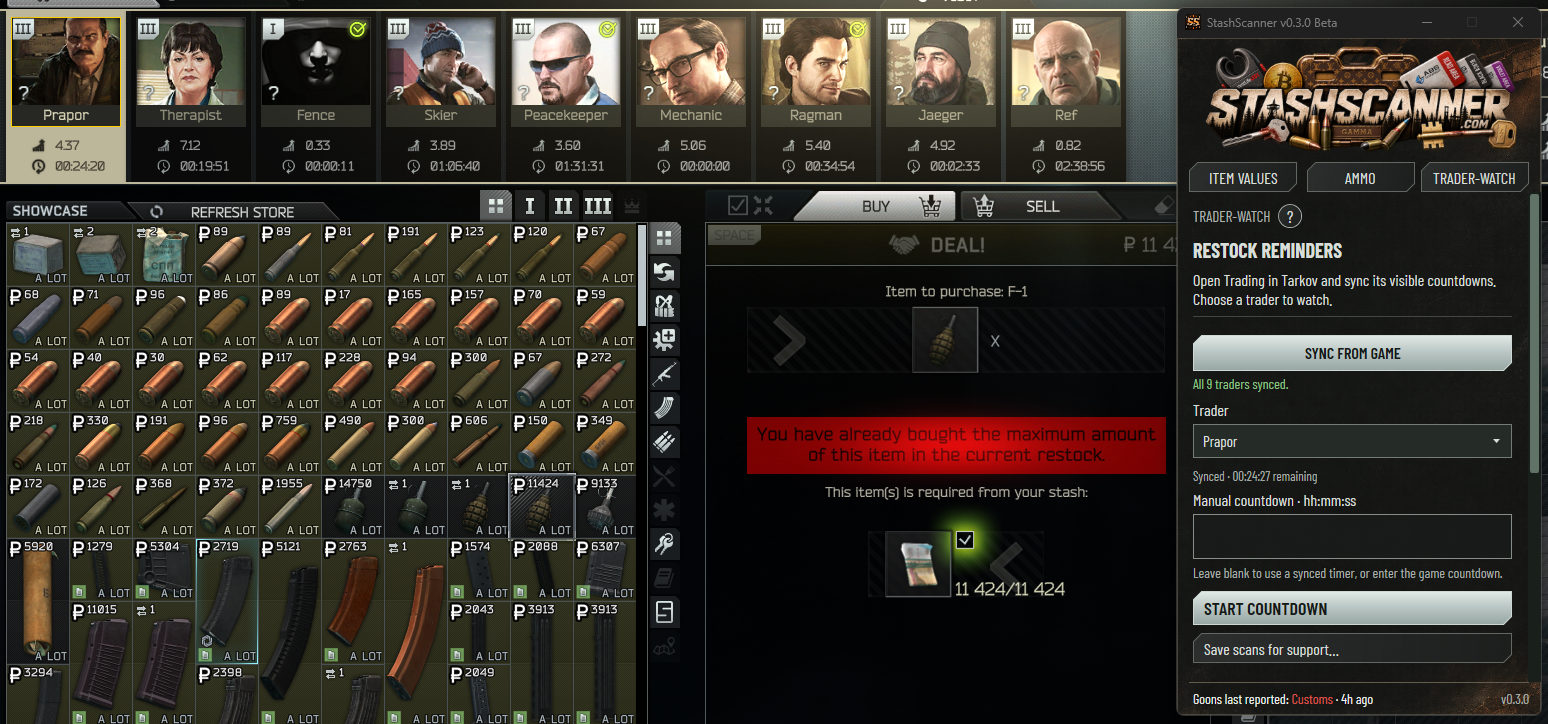
Trader-watch reads the restock countdowns visible on Tarkov’s Trading screen. Open Trading, sync the countdowns, then choose the trader you want to follow.
You can also enter a timer manually. Type the countdown in hours, minutes and seconds, then start it for the selected trader. Leave the manual field blank to use the synced timer.
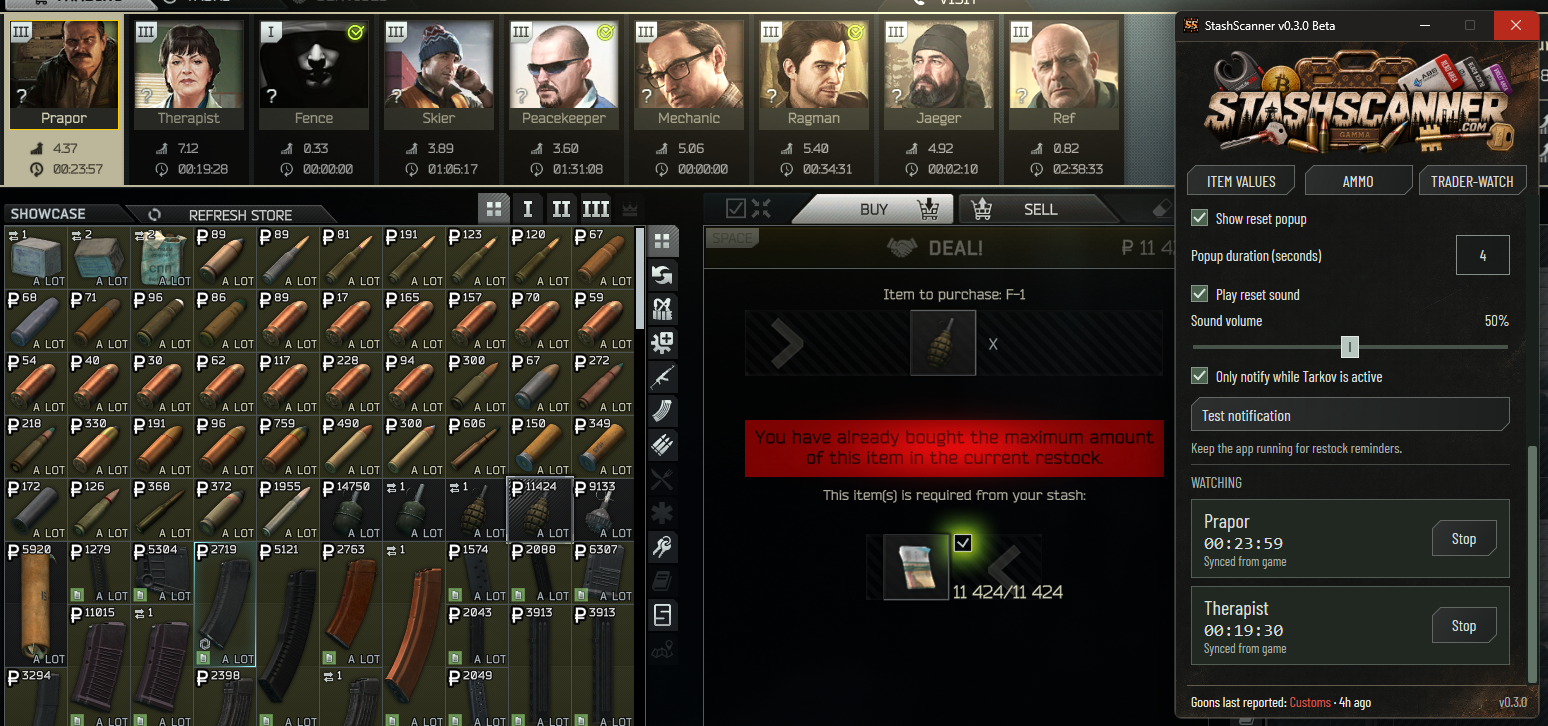
The watched list gives you a place to check your active countdowns. You can follow more than one trader, and stop an individual countdown when you no longer need it.
Set up a reminder
- Open the Trading screen in Tarkov.
- Choose Sync from game in Trader-watch.
- Select a trader, using the synced countdown or entering your own.
- Choose Start countdown.
Choose how the reminder appears.
Turn on a popup, a sound or both. Adjust how long the popup stays visible and set the sound volume to suit your setup.
You can limit notifications to when Tarkov is active. Use Test notification to check the settings before relying on a reminder.
Keep StashScanner running.
The app needs to stay open for restock reminders. A timer is based on the countdown you synced or entered, so check it against the Trading screen if the timing looks wrong.
Need to check a timer?
Open the ? button in Trader-watch for instructions. For a timer-reading problem, use Save scans for support. Review the exported screenshots and logs before you share them.
Get help with Trader-watchLooking at ammo offers?
Once you’re on a trader’s offers, Ammo’s Market offers mode can compare the visible purchasable rounds of the same calibre by penetration.
See how Market offers worksGet StashScanner for Windows.
v0.3.0 Beta · Free · Windows x64 · Unsigned beta
Requires .NET 10 Desktop Runtime x64. Setup & requirements
Independently developed. Community supported.
StashScanner is free to use. Ask a question on Discord, or support development on Patreon or Buy Me a Coffee.