Escape from Tarkov companion
Loot prices, ammo checks
and trader restock timers.
StashScanner reads the visible game screen to help you price items, sort ammunition and keep track of restocks.
A closer look at the tools
See StashScanner on the game screen.
See what your loot is worth.
Look up an item while it’s on screen. Show its price estimate beside your cursor or in a pinned panel.
24-hour flea estimate, when available.Best trader estimate otherwise. Use the per-slot value to help decide what to keep.
Set your own red, orange and green thresholds in rubles per slot, plus purple for total item value.
Prices are estimates, not guaranteed sale prices.
More about Item Values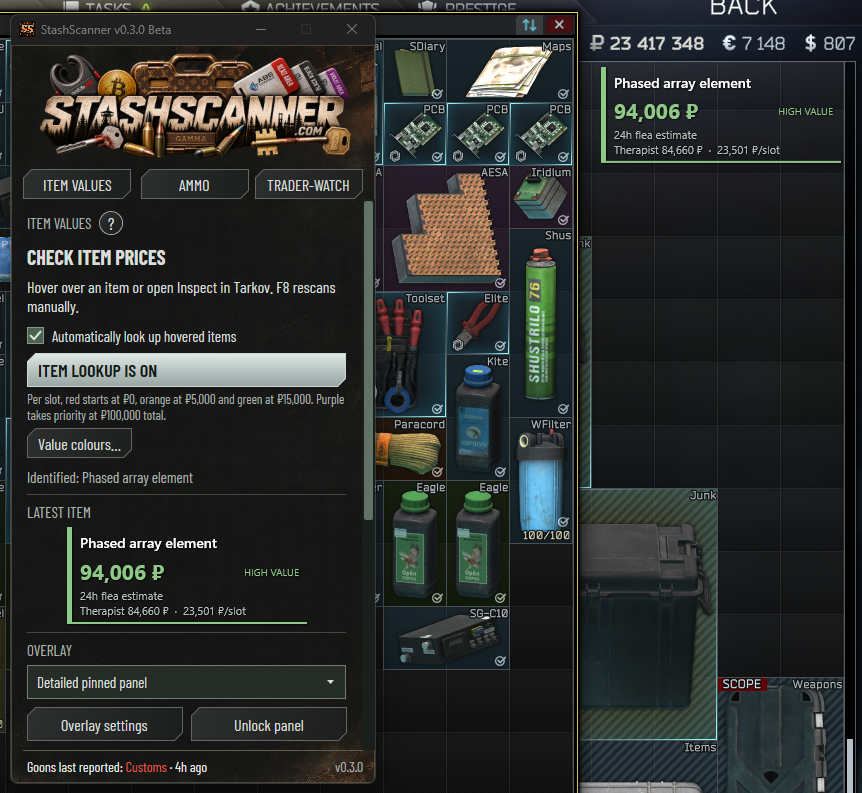
Sort ammo by penetration.
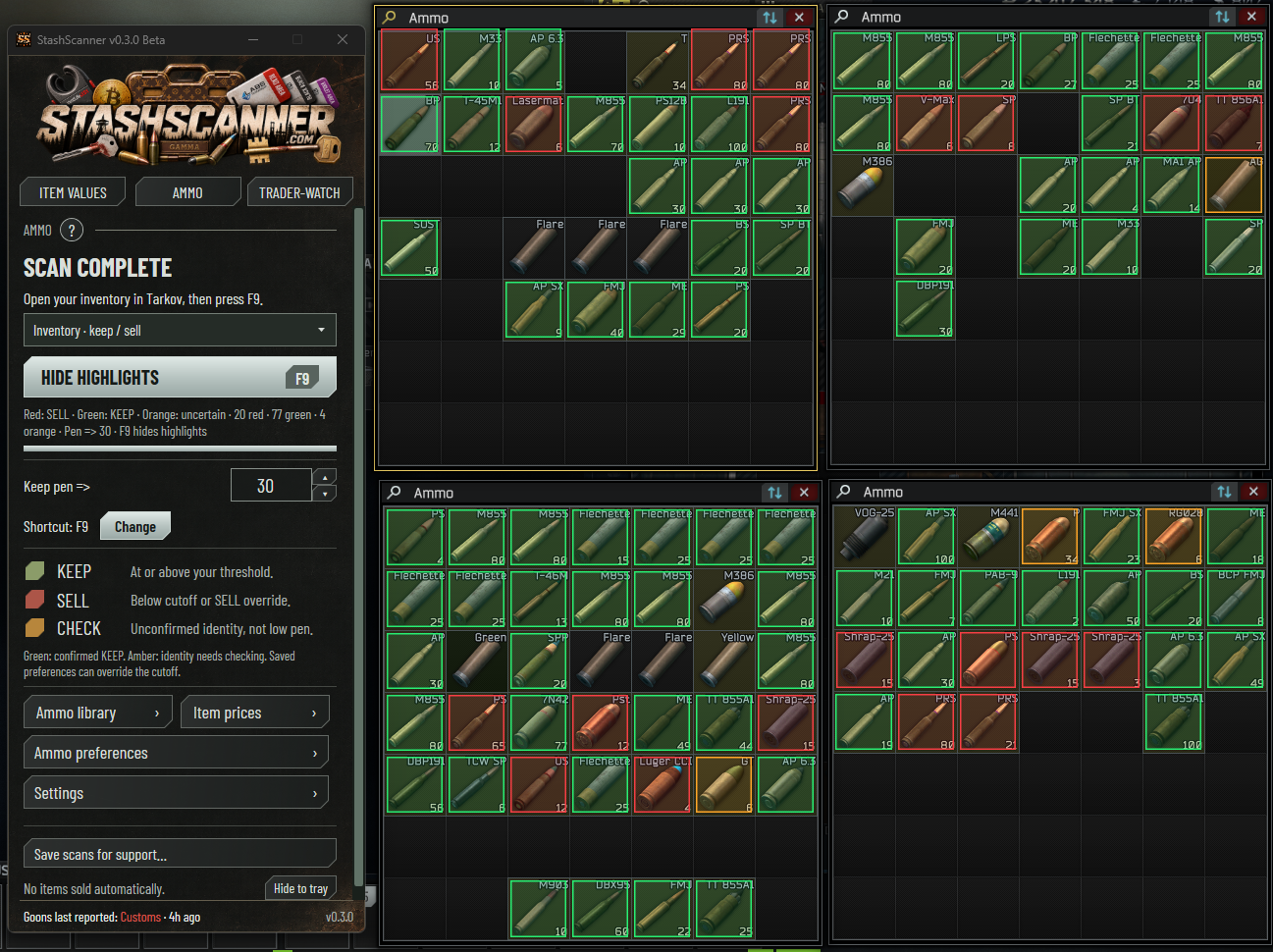
Scan the rounds in your visible inventory. StashScanner checks them against your penetration cutoff and any preferences you’ve saved for individual rounds.
- Keep
- At or above your cutoff, or a saved Keep preference.
- Sell
- Below your cutoff, or a saved Sell preference.
- Check
- An uncertain identification. Check the round yourself.
The scan highlights rounds. You decide what to sell.
More about AmmoCompare the rounds you can buy.
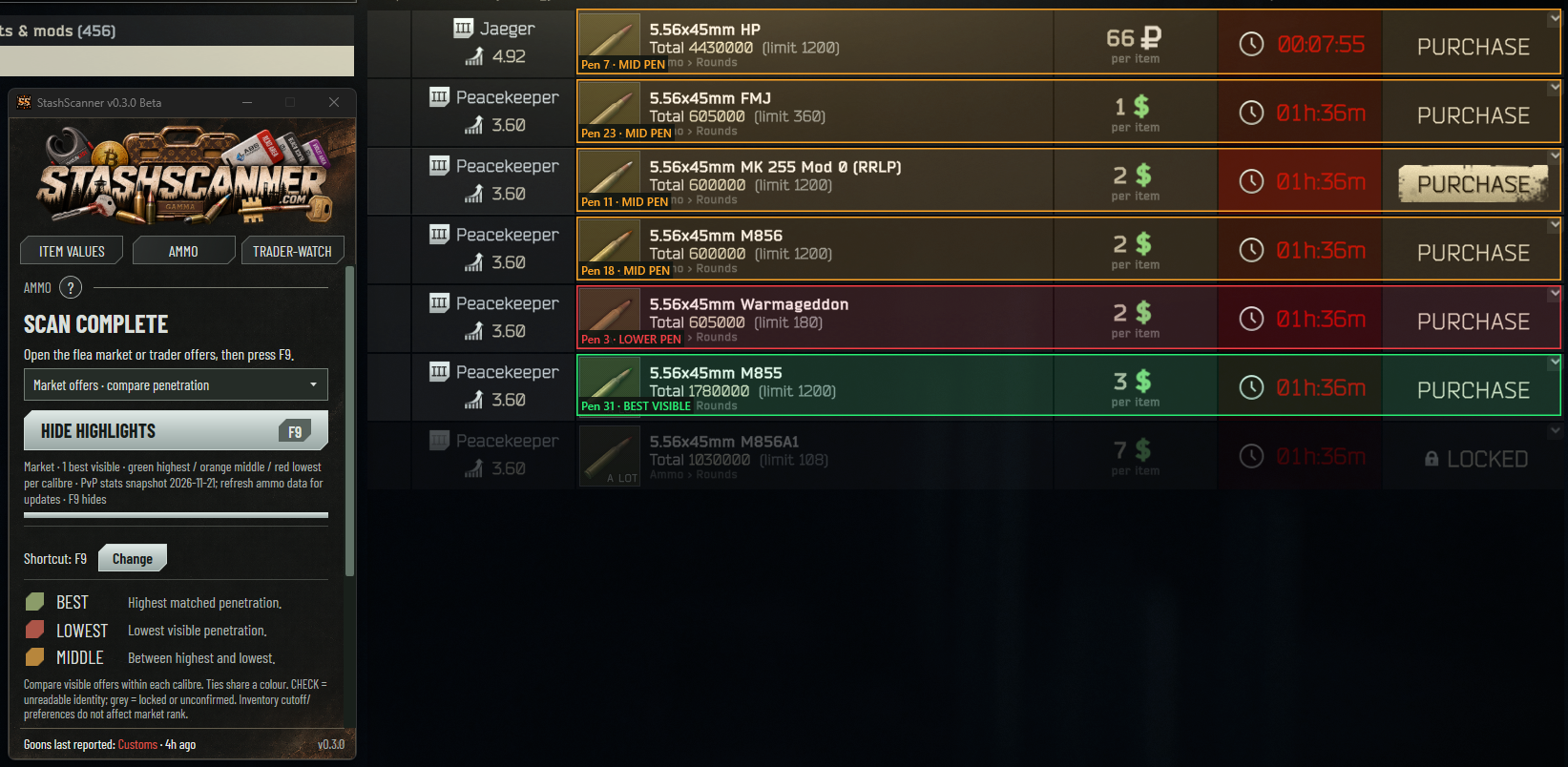
Market offers compares visible, purchasable rounds of the same calibre by ammo penetration.
It ranks the offers on screen. Your inventory cutoff and saved preferences don’t affect this mode.
- Best visible
- Highest penetration in the visible purchasable offers.
- Middle
- Between the highest and lowest penetration.
- Lowest
- Lowest penetration in that comparison.
Keep track of the next restock.
Open Tarkov’s Trading screen and sync the visible countdowns. Choose a trader to watch, or enter a timer manually.
Use the countdown on your screen.Trader-watch reads the restock timers shown in your game. Start a countdown for the traders you want to follow.
Keep StashScanner running for reminders.
More about Trader-watchA reminder when the timer ends.
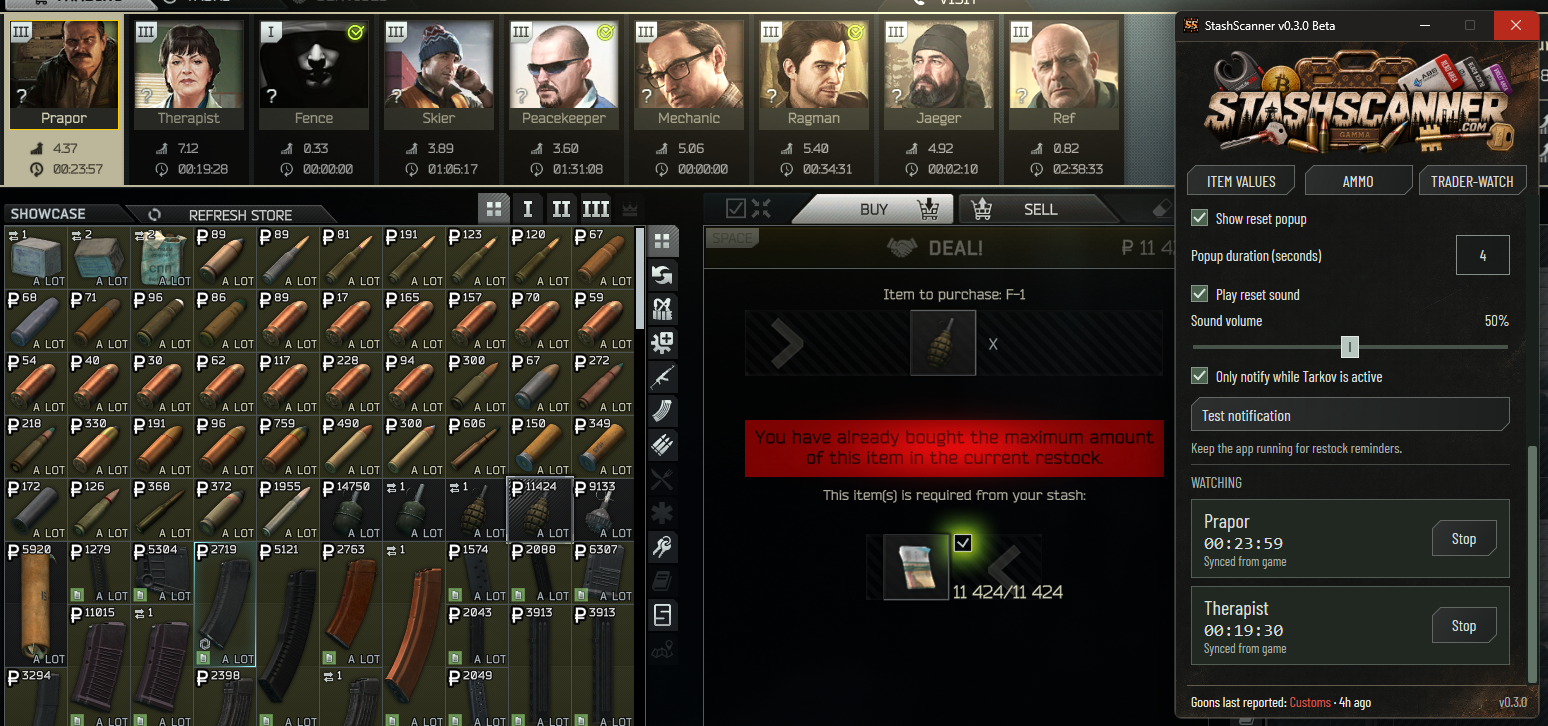
Choose a popup, a sound or both. Set the popup duration and sound volume, and keep an eye on the traders you’re watching.
Choose when reminders appear.You can limit notifications to when Tarkov is active. Try a test notification to check your settings.
Keep StashScanner running for reminders.
More about Trader-watch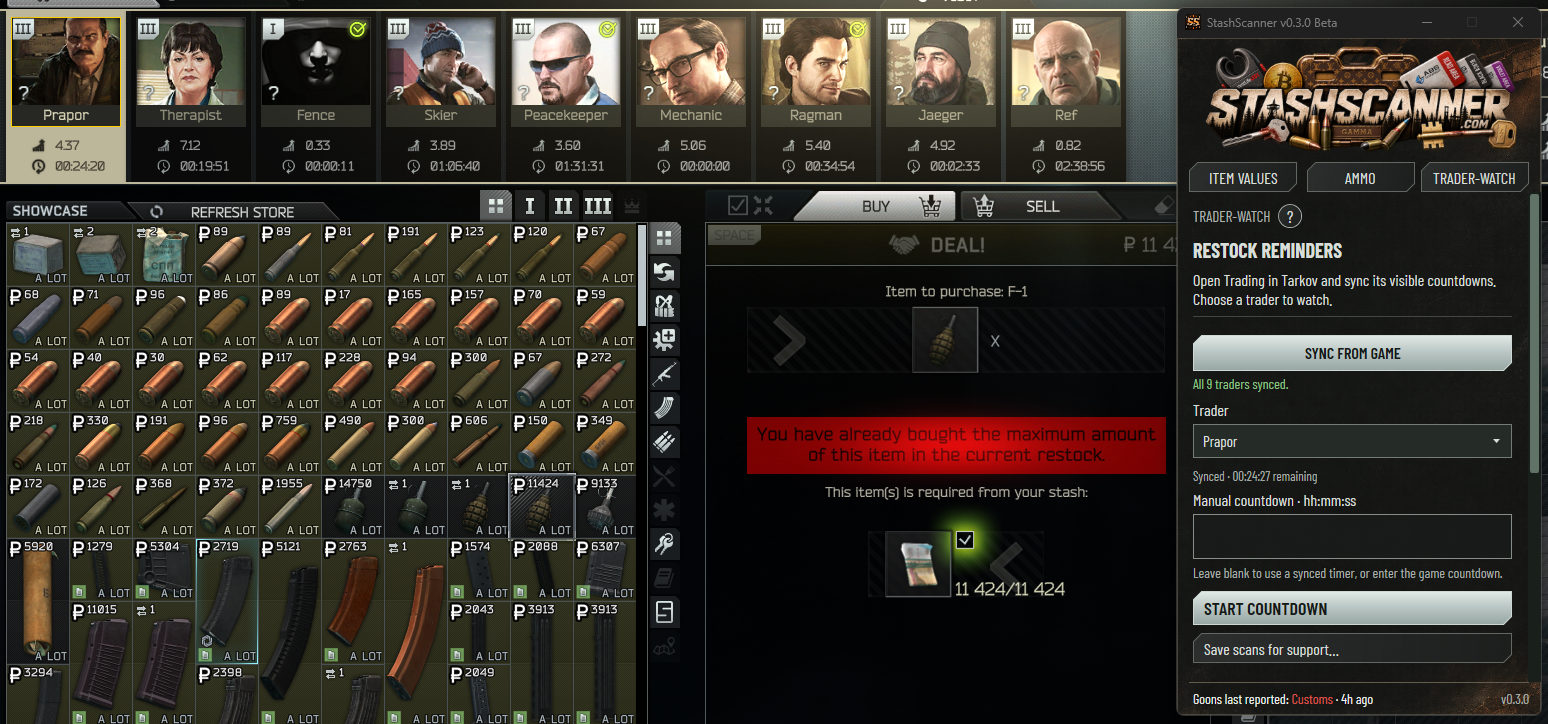
Make the overlay fit your screen.
Change the text size, opacity, display duration and animation. Move the pinned panel where you want it, then lock it in place.
Help is inside each tool.
Use the ? button for instructions. For a scan problem, Save scans for support exports screenshots and logs you can review before sharing.
Get help with StashScannerIndependently developed. Community supported.
StashScanner is free to use. Ask a question on Discord, or support development on Patreon or Buy Me a Coffee.