Ammo
Sort your ammo by penetration.
Check the rounds in your inventory against your own cutoff, or compare the rounds you can buy. Ammo has a separate mode for each job.
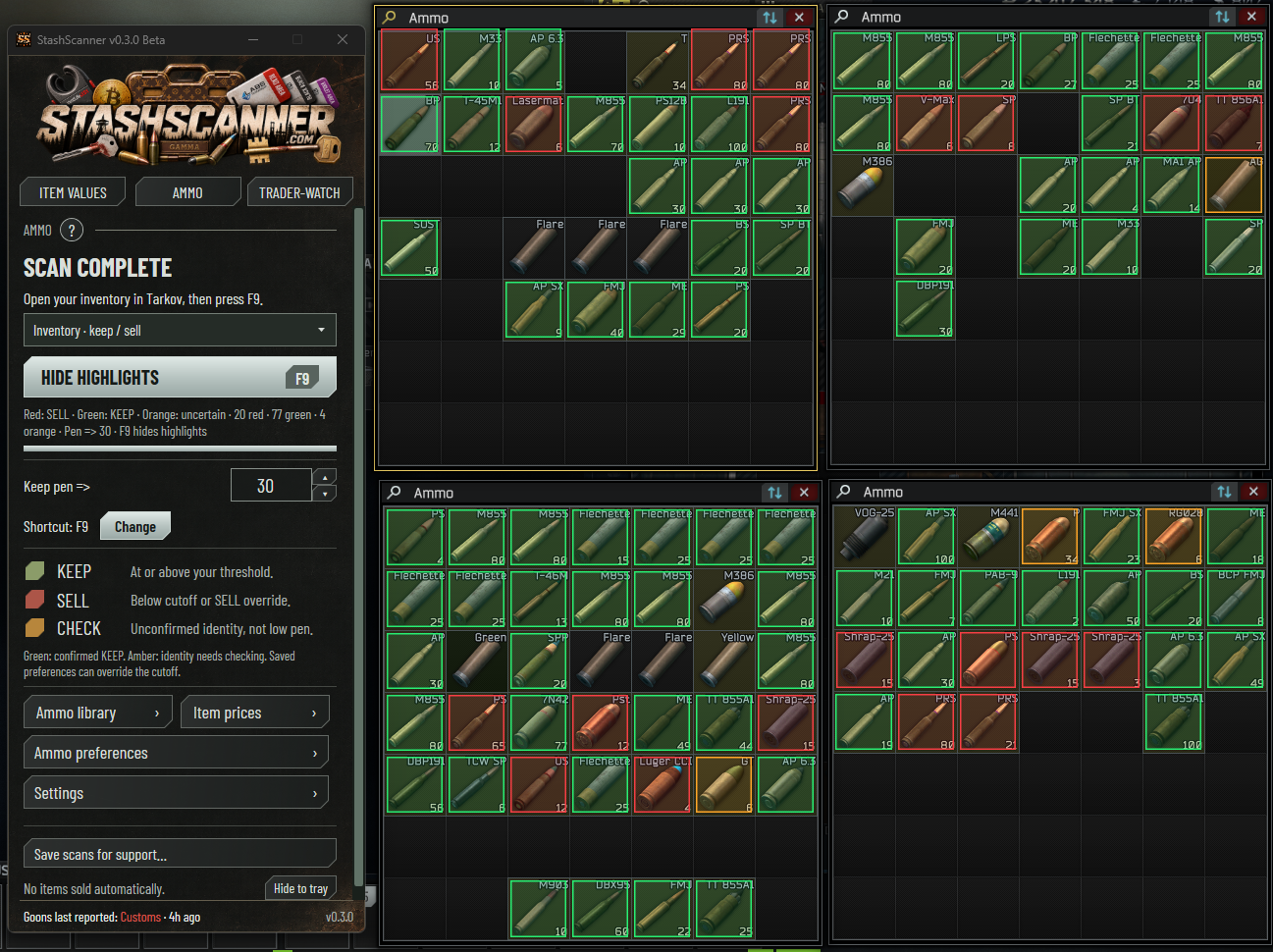
Inventory mode
Choose your cutoff. Check your stash.
Scan your inventory or open ammo boxes on the trader Sell screen. StashScanner checks identified rounds against your penetration cutoff. On Sell, clear stack counts and prices help it tell similar cartridges apart.
- Keep
- At or above your cutoff, or a round you have saved as Keep.
- Sell
- Below your cutoff, or a round you have saved as Sell.
- Check
- The identification is uncertain. Check the round yourself.
You can save preferences for individual rounds. These override the cutoff, so a round you want to keep doesn’t have to match your general rule.
The scan highlights rounds. You decide what to keep or sell; StashScanner does not sell items automatically.
Market offers mode
Compare the rounds you can buy.
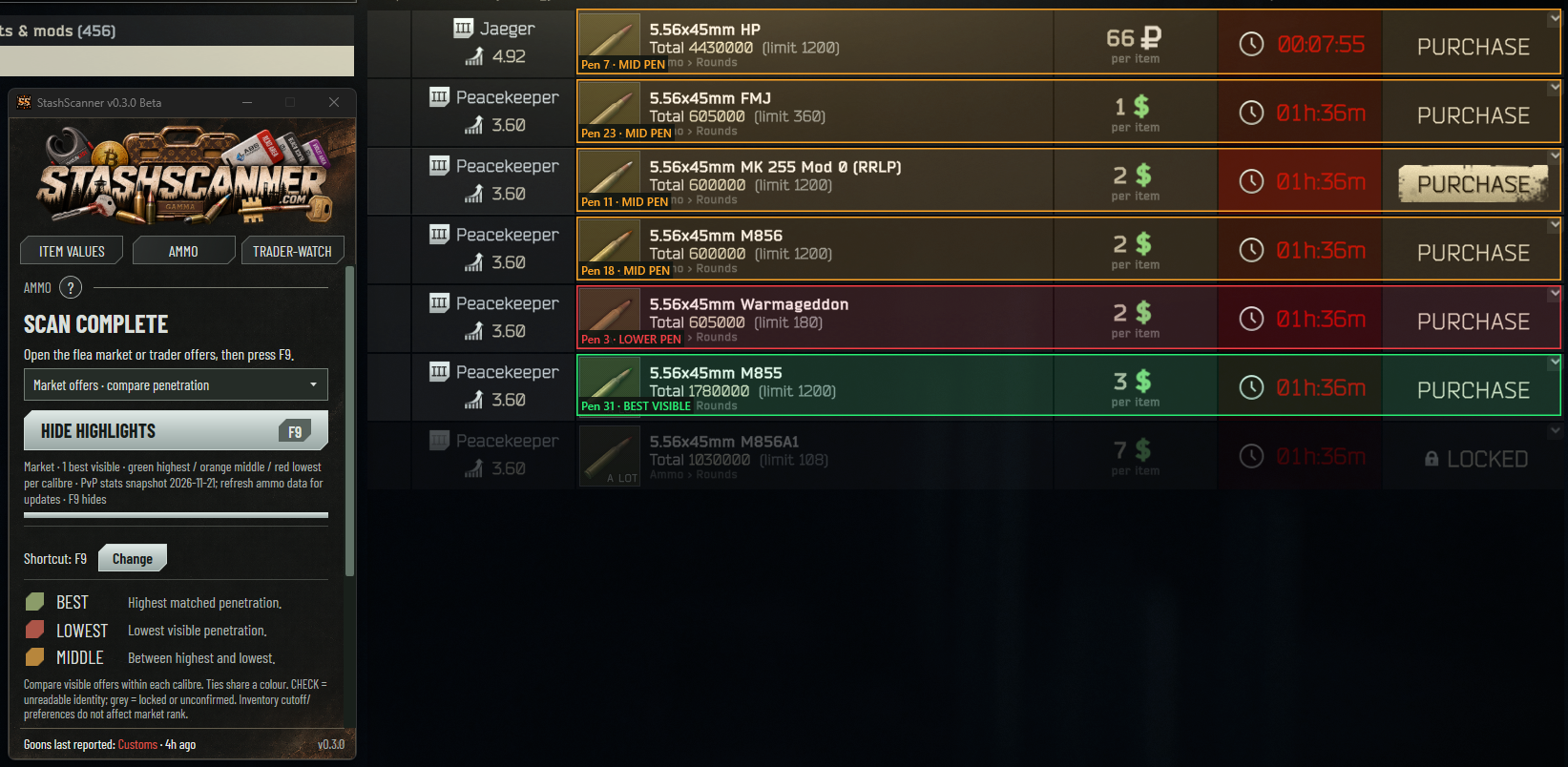
Open the flea market or trader offers and switch to Market offers. This mode compares visible, purchasable rounds of the same calibre by ammo penetration.
It ranks the offers on your screen. It does not apply your inventory cutoff or saved Keep and Sell preferences, and it does not compare every round available in Tarkov.
- Best visible
- The highest penetration in the visible purchasable offers.
- Middle
- Between the highest and lowest penetration in that comparison.
- Lowest
- The lowest penetration in that comparison.
Check which mode you’re using.
Inventory colours follow your Keep and Sell rules. Market colours describe relative penetration among the offers on screen. The same colour can therefore mean something different in each mode.
Something looks wrong?
Use the ? button in Ammo for instructions. If a result needs a closer look, Save scans for support exports screenshots and logs you can review before sharing.
Get help with an ammo scanGet StashScanner for Windows.
v0.3.0 Beta · Free · Windows x64 · Unsigned beta
Requires .NET 10 Desktop Runtime x64. Setup & requirements
Independently developed. Community supported.
StashScanner is free to use. Ask a question on Discord, or support development on Patreon or Buy Me a Coffee.